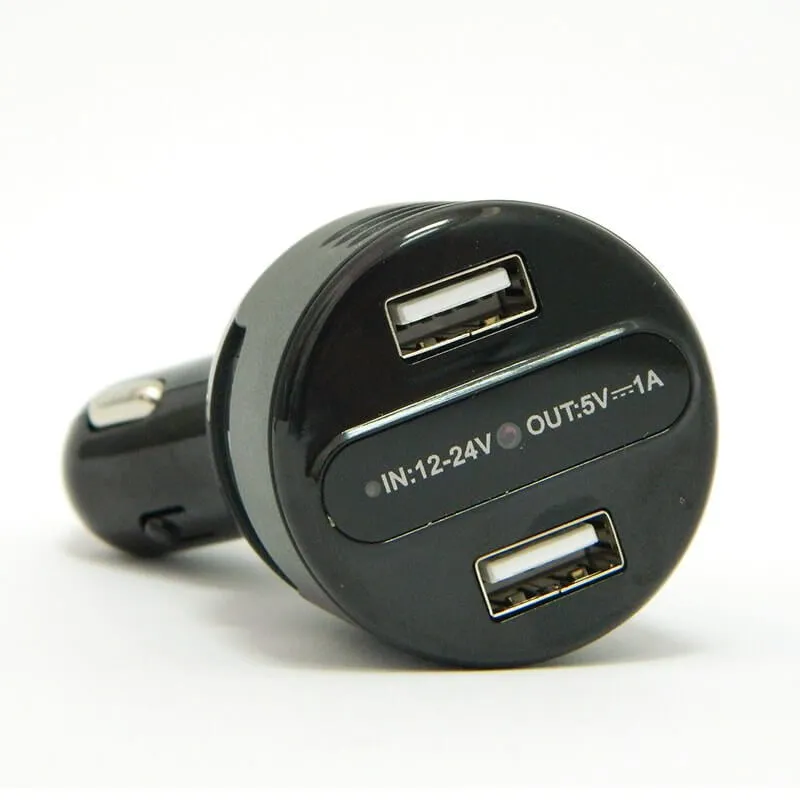
LawMate PV-CG20 Car Charger DVR is a Full HD 1080P Mini DVR with IR Night Vision that operates automatically and functions as a charger at the same time.
The car charger DVR can be used discreetly as the recording starts automatically, at the same time you start your car, and by turning off the car engine it will automatically save the files on the SD Card. The device comes with a 4 GB SD Card and supports Micro SDHC cards up to 32 GB.
The camera lens is adjustable and can be rotated, panned, or tilted in the needed direction. Moreover, the format key, USB port, and memory card slot are hidden behind a rotating hard shell that you can expose or hide with a simple rotation.
Product Update: The PV-CG10 Is Now the PV-CG20
The PV-CG10 has been superseded by the PV-CG20. The unit is visually similar, but it now includes built-in IR LEDs for night vision, allowing recording in low light conditions inside the car - a feature the PV-CG10 did not have. All other core functionality is retained: automatic recording tied to the car's ignition, an adjustable camera lens, a rotating hard shell to conceal the format key/USB port/memory card slot, and a Power Out port for charging external devices.
PV-CG20 Main Features:
- Full HD 1080P Car charger DVR
- Built-in IR Night Vision for recordings in low light conditions
- Dedicated switch to turn the IR LEDs On/Off
- Allows you to adjust the camera lens direction by tilting/rotating the base of the DVR
- You can choose between whether to show or hide the SD card slot / USB port / format key, by rotating the hard shell of the DVR
- Power Out Port to power or charge an external device
- Plug in and record! Recording starts automatically when you start the car. Once the car engine is turned off, the recording stops, and the videos are saved automatically
- Compact and low-profile design
- CE/FCC Certified
PV-CG20 Full Specifications:
Built-in image sensor: Progressive 1/2.9 inch SONY CMOS
Sensor resolution: 2000*1121
Sensor sensitivity: 0.1 Lux @ F2.0 50IRE
Lens F/No: F2.0
Focal Length: 4.6mm
The angle of view: 78.2°
Algorithm: H.264, JPEG
File Format: MOV
Video recording mode: Manual
Recording Capability: 1920*1080
Frame rate: Up to 30 fps
Memory type: Micro SD Card (Supports SDHC max= 32GB)
Data interface: Mini USB 2.0
Date/Time Table: YYYY/MM/DD, HH:MM:SS
Power Input: DC 12-24V
Power Consumption: 260-300mA (IR OFF), IR ON +330mA
Battery Input: DC 3.7V / 130 mA polymers battery (XK032030)
Battery Lifetime: Continuous recording 20 min
Power Output: 1.1A
Dimensions: 9.5*4*4 (cm)
Weight: 57G
PV-CG20 Feature Focus:
Built-in IR Night Vision
The PV-CG20 features built-in IR LEDs for recording in low light conditions inside the car. The function can be switched On/Off with the dedicated IR On/Off switch. When the IR LED is active, the recorded video will be in black and white.
DVR powered from the car cigarette lighter socket
No need to worry about the battery or recording time, as the DVR is powered from the socket, and will record as long as the engine is running!
When the PV-CG20 is plugged directly into the car cigarette lighter socket and the car is started, the device turns on automatically and recording starts automatically.
DVR powered by the internal battery
The device can record for approx. 20 min when powered by the internal battery. It can be turned on manually by pressing the Power button. Recording will start automatically as soon as the device is turned on. The battery charges automatically when the DVR is plugged into the car cigarette lighter socket and the car is started.
Three ways to turn off the device - the video material will be saved automatically in all 3 cases
- When turning off the car engine
- Unplug the DVR from the car cigarette lighter socket
- Long press the Power On/Off button
When the device is turned off, the recorded video is saved automatically.
How to use the PV-CG20?
- The car charger starts recording automatically once it is powered. Plugging the DVR into the car cigarette lighter socket and starting the car turns the device on and recording starts automatically. You can also turn the device On/Off manually using the Power On/Off button.
- You can retrieve the video files in 2 ways. First - insert the SD card into a card reader to download the files. Or, second, with the device powered on and the memory card inserted, connect the USB cable to the mini DVR. The PC will recognize the device as an external drive and you can download your files.
How to format the memory card?
The PV-CG20 has a dedicated Format button. Press the Format button and power on the DVR. The yellow LED will blink and then turn off. Once the LED turns off, formatting is complete.
How to set the date and time on the PV-CG20?
On Windows, you can set the date and time by creating a text file named settime.txt.
The file must contain the date and time in the following format: YYYY.MM.DD HH:MM:SS
For example: 2017.10.16 15:00:00
Leave a space between the date and the time, and use the 24-hour time format.
Save the settime.txt file to the root directory of the memory card. Once the setting is completed successfully, the settime.txt file will no longer be visible the next time the device is connected to the computer.
PV-CG20 FAQs
What is the LawMate PV-CG20 Car Charger DVR?
The LawMate PV-CG20 Car Charger DVR is a Full HD 1080P Mini DVR with built-in IR Night Vision that functions as both a car charger and a discreet recording device. It starts recording automatically when the car is started and stops when the engine is turned off, saving files to an SD card. The device comes with a 4 GB SD card and supports Micro SDHC cards up to 32 GB.
Does the PV-CG20 record in low light or at night?
Yes, the PV-CG20 has built-in IR LEDs that can be switched On/Off using a dedicated switch. When the IR LEDs are active, the recorded video switches to black and white, allowing recording in low light conditions inside the car.
Can the camera lens direction be adjusted on the PV-CG20?
Yes, the camera lens can be adjusted by panning, tilting, or rotating the base of the DVR to capture the desired field of view, allowing the camera angle to be set as needed.
How can the PV-CG20 be powered off?
The PV-CG20 can be powered off in three ways: by turning off the car engine, unplugging the DVR from the cigarette lighter socket, or long-pressing the Power On/Off button. In all cases, the video material is saved automatically.
How does the PV-CG20 start and stop recording?
Recording starts automatically as soon as the DVR is plugged into the car cigarette lighter socket and the car is started, and stops automatically when the car engine is turned off, with all footage saved to the SD card.
How long can the PV-CG20 record when running on battery power?
When powered by its internal battery rather than the car socket, the PV-CG20 can record continuously for approximately 20 minutes. The battery recharges automatically whenever the DVR is plugged back into the cigarette lighter socket and the car is running.
How can the recorded video files be accessed?
Recorded video files can be accessed in two ways: by removing the SD card and inserting it into a card reader, or by connecting the DVR to a computer via the USB cable. The computer will recognize the device as an external drive for easy file transfer.
How do you format the memory card on the PV-CG20?
Press and hold the dedicated Format key while powering on the DVR. The yellow LED will blink and then turn off; once the LED goes off, formatting is complete.
How do you set the date and time on the PV-CG20?
On Windows, create a text file named settime.txt containing the date and time in the format YYYY.MM.DD HH:MM:SS (e.g. 2017.10.16 15:00:00), with a space between the date and time and using 24-hour format. Save the file to the root directory of the memory card; once applied, the file will no longer be visible when the device is reconnected.
What memory card capacity does the PV-CG20 support?
The PV-CG20 comes with a 4 GB SD card and supports Micro SDHC cards up to 32 GB in capacity.
Is it possible to charge or power an external device using the PV-CG20?
Yes, the PV-CG20 includes a Power Out port that lets you power or charge an external device while the DVR is plugged into the car's cigarette lighter socket, making it a convenient dual-purpose accessory.
Note:
For more information regarding the operation of the device please study the PDF files below.
24 Months Warranty.
>>Download detailed specifications (PDF)<<


 Order until 13:00 CET and we will ship today! One-day delivery across EU and UK

.webp)
.webp)
.webp)


.webp "Sensor resolution: 2304*1536<br>Min. Illumination: 3.3 Lux<br>Battery Lifetime: Continuous recording 170 min<br>Memory: Up to 32 GB SDHC Cards<br>")